Are you ready to check your NECO result, but don’t know where to start? The NECO Token Code for Result is the magic key you need! This special code allows you to view your exam scores online. No need to stress or wait—whether you wrote SSCE or GCE, the NECO result token is your ticket to success. With just a few steps and the right token, you can unlock your full result on the official NECO website from the comfort of your home.

Don’t wait another minute! Get your NECO Token Code for Result today and see how well you did. It’s fast, simple, and safe. Click to learn how to buy the token, use it, and check your result right now. Your future is only a few clicks away—start checking today!
What is NECO?
NECO means National Examinations Council. It is a large organisation in Nigeria that assists students with exam preparation. After writing the exam, you must check your result. But you cannot see the result without a token. That is why the NECO Token Code for Result is very important.
Advertisements
What is the NECO Token Code for the Result?
The NECO Token Code for Result is a 12-digit number. It is also called a result token or result checker token. This token helps you open your result on the NECO portal. Before, students used something called an NECO scratch card. However, NECO now uses the NECO result token instead.
Why Do You Need the NECO Token Code for the Result?
You need the NECO Token Code for Result to check your scores. Without it, you cannot see your result. It is like a key that opens the result door.
Advertisements
If you took the NECO exam, such as SSCE or GCE, and want to see your score, the token will help you. This token is used on the NECO result portal, which is the official NECO website.
Where Can You Get the NECO Token Code?
You can buy NECO result token online. That means you do not need to go to any office. You just use your phone or computer. Many websites help you buy NECO result tokens.
Some people say “buy NECO result” or “purchase token”, and they mean the same thing. You just need to visit a trusted website and make a payment.
Here are some safe ways to get your token:
- Purchase NECO result tokens from reputable online vendors.
- Use your card or transfer money to pay.
- After payment, you will see your token displayed on the screen or receive it via email.
Some people also claim that you can obtain it from the NECO office, but the easiest way is to purchase an NECO token online.
How Much is the NECO Token Code?
The price is not always the same. It can be from 700 Naira to 1,500 Naira. It depends on where you buy it. Some sellers offer products at a lower price, while others sell at a higher price. However, be cautious when purchasing from fake websites.
How to Use NECO Token Code for Results
Now that you have your token, you can use it to check the result. Follow these simple steps:
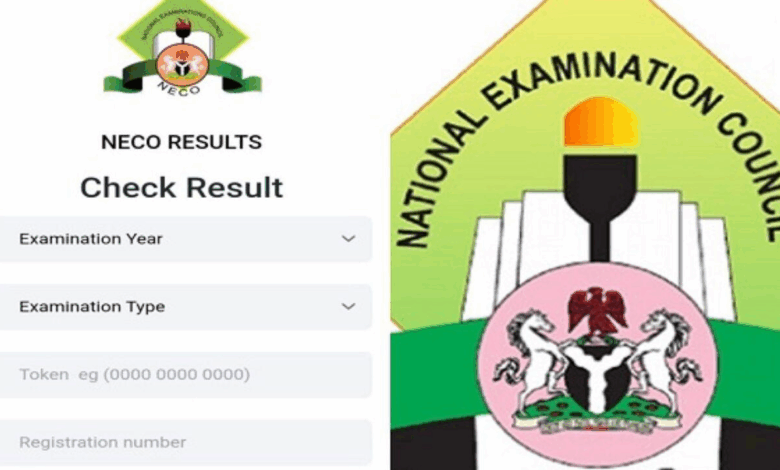
- Go to the NECO result portal. This is the NECO website: https://result.neco.gov.ng
- Choose your exam year. For example, 2023 or 2024.
- Choose your exam type. This means the kind of exam you did (like SSCE, GCE, etc).
- Enter your NECO registration number. This number is on your exam slip.
- Enter the NECO Token Code for Result (your 12-digit token).
- Click “Check Result.”
That is all! Your NECO result will show on the screen. You can print it or save it.
How Many Times Can You Use the NECO Token?
You can use one token up to 5 times. But it only works for one person. If you attempt to use the same token for another person’s registration number, it will not be successful.
What If You Have a Problem?
Sometimes things go wrong. Here are some problems and what to do:
- Incorrect registration number: Please verify your NECO registration number again.
- Incorrect token number: Please verify your token number carefully.
- Website not working: Please wait for a few minutes and try again.
- Used token: The token may have been used 5 times. You need to buy another one.
If you are still unable to check the result, please visit the NECO office or contact the seller from whom you purchased the NECO token.
More Tips for Using Your Result Token
- Do not share your NECO Token Code for Result with others.
- Keep your token safe in your email or phone.
- Always use the official NECO website to check the results.
- Ensure your exam number and registration number are correct.
Common Questions About NECO Token Code for Results
Q1: What is the NECO result checker? It is the page on the NECO website where you put your token and registration number to see your result.
Q2: Can I use the old NECO scratch card? No. The new NECO result token has replaced the NECO scratch card.
Q3: What is the token PIN? It is the same as the NECO Token Code for Result. It is a 12-digit number.
Q4: Can I use one token for two people? No. One token works for only one candidate.
Q5: What is the difference between the result token and the NECO result checker token? There is no difference. They mean the same thing.
Q6: What is NECO e-token? This is another term for the NECO result token that can be purchased online.
Q7: Can I use the same token to check the GCE result and the SSCE result? No. The token is for one exam type and one person.
Why This Token is Better Than Scratch Cards
Previously, people used an NECO scratch card online or purchased it from shops. However, obtaining the NECO result token is now easier. You don’t need to go out. You can buy an NECO result token online with your phone.
Additionally, you can track transactions and verify if your token is still active. The new NECO result token is safer and faster.
Final Words
If you want to see your NECO result, you must have the NECO Token Code for Result. It is very easy to use and helps you check the results in just a few minutes.
You can use it on the official NECO result checker page. Please ensure that your exam type, NECO registration number, and token number are accurate.
Remember, always purchase the NECO result token from a trusted source. Keep it safe. Check your result today!
Advertisements